

Custom Software Development vs Off-the-Shelf: A Simple Decision Guide for CTOs
Custom software development means building applications designed for your specific business needs. Off-the-shelf software is prebuilt and ready to use right away. Choosing the right path affects your budget, speed, and ability to grow. This guide helps CTOs weigh both options with clear data and a practical framework.
What Is Custom Software Development vs Off-the-Shelf?
Off-the-shelf software is ready-made and quick to deploy. Custom development builds software from scratch to match specific business needs.
Off-the-shelf products are built for a broad market. They include standard features that fit many companies. Examples include CRM platforms, accounting tools, and email services.
Custom software development creates tools designed around your workflows. Nothing is extra. Nothing is missing. The product fits how your team actually works.
The core difference comes down to fit versus speed. Packaged tools get you running fast. Custom builds fit your business exactly but take longer to create.

When Should CTOs Choose Off-the-Shelf vs Custom Development?
CTOs should choose off-the-shelf software for speed and lower cost. Choose custom development when business needs are unique or complex.
Best use cases for off-the-shelf
- Standard processes like payroll, email, or accounting where needs are common across industries.
- Tight deadlines where the team needs a working solution in weeks not months.
- Limited budgets where upfront spending must stay low.
Best use cases for custom solutions
- Unique workflows that no packaged tool supports well.
- Competitive advantage that depends on proprietary processes or data.
- Integration needs across multiple systems that off-the-shelf tools cannot connect.
Custom business software makes sense when your operations do not fit inside a generic box. Packaged tools work when your needs match what everyone else needs.
How Do Costs Compare in Off-the-Shelf vs Custom Development?
Off-the-shelf software has lower upfront cost. Custom development requires higher initial investment but can reduce long-term costs if tailored well.
Licensing and subscription costs
Packaged software charges monthly or annual fees per user. These costs look small at first but add up over time. SaaS costs can climb 150 to 200 percent past list price according to Neontri.
Development and maintenance costs
Custom software development projects in 2025 cost between $75,000 and $250,000 on average according to Artezio. Maintenance runs about 10 to 15 percent of the initial build cost each year. However you own the product and stop paying recurring license fees.
How Does Scalability Differ in Off-the-Shelf vs Custom Development?
Custom development offers better scalability for unique growth needs. Off-the-shelf software may limit flexibility as the business expands.
Scaling limitations in packaged tools
Off-the-shelf software is built for the average user. When your company grows beyond what the tool was designed for, you hit walls. Adding features or handling more data often means paying for a higher tier or working around the product.
Flexibility in custom systems
A custom system grows with you. New features get added when needed. Performance gets adjusted as data increases. The architecture adapts because you control the code.
How Does Implementation Time Compare?
Off-the-shelf software can be deployed quickly. Custom development takes more time due to design, build, and testing phases.
Setup time for ready-made tools
Most packaged tools are live within days or weeks. Configuration takes some effort but the core product already works. This speed is the main reason teams choose off-the-shelf software.
Development timeline for custom builds
Building from scratch takes months. A simple application might take 2 to 3 months.
How Does Customization Differ in Off-the-Shelf vs Custom Development?
Off-the-shelf software offers limited customization. Custom development allows full control over features and workflows.
Configuration vs full customization
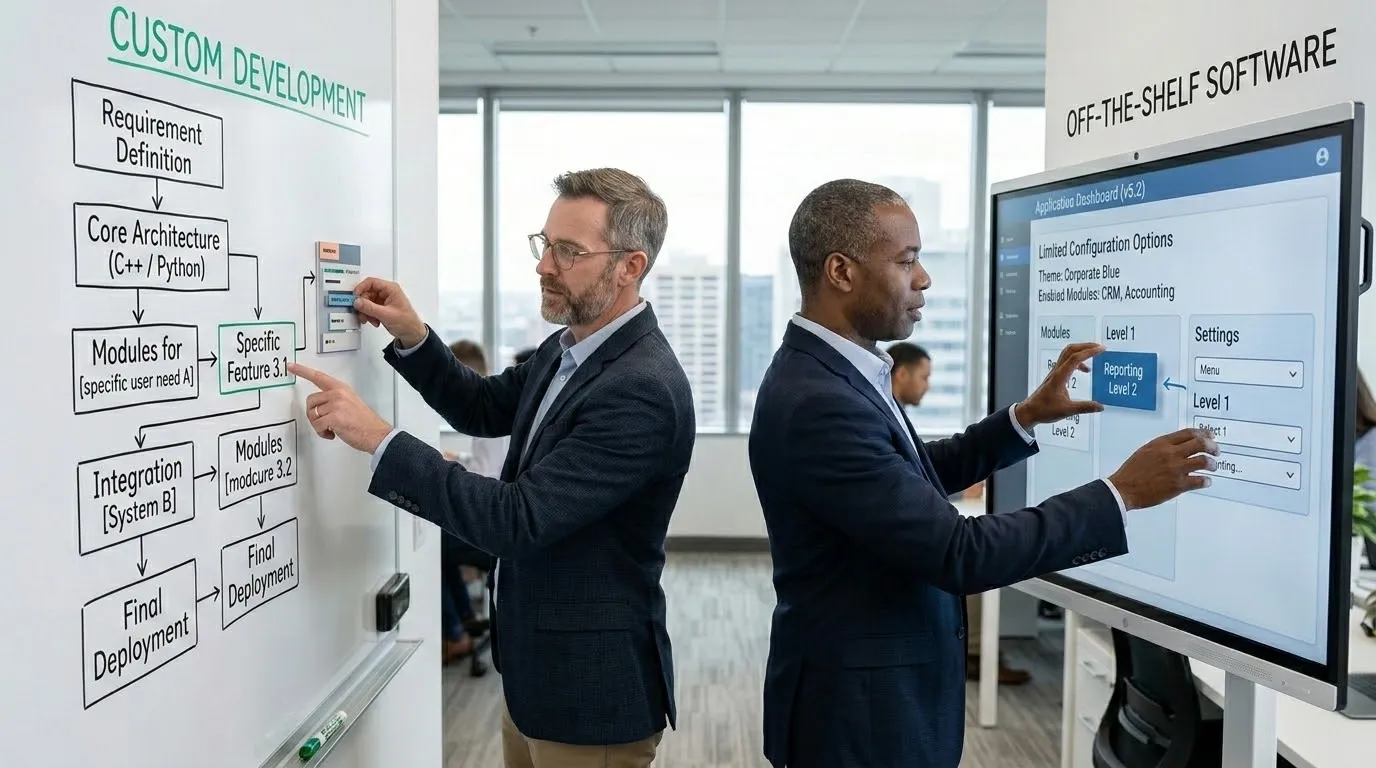
Packaged tools let you adjust settings, add fields, or change colors. You cannot change how the core logic works. Custom application development lets you design every feature from the ground up.
Fit with business processes
Ready-made tools force your team to adapt to the software. Custom builds adapt the software to your team. When your process is your advantage, forcing a fit wastes that edge.
What Risks Should CTOs Consider?
Off-the-shelf risks include vendor dependency. Custom development risks include higher cost and longer timelines.
Vendor lock-in
Packaged software ties you to one provider. If they raise prices, change features, or shut down, your business is affected. Migrating away from a core tool is expensive and disruptive.
Project delays
About 35 percent of custom builds fail according to Neontri. Delays come from unclear requirements, scope changes, or team issues. Strong project management reduces this risk but does not eliminate it.
Maintenance responsibility
With a packaged tool, the vendor handles updates and security. With custom software, your team owns that responsibility. Budgeting for ongoing support is essential.
Forrester reports that 67 percent of failed software implementations stem from incorrect build vs buy software decisions. Getting the choice right matters more than most teams realize.
What Decision Framework Should CTOs Use?
CTOs should evaluate business needs, budget, timeline, and scalability before choosing between off-the-shelf and custom development.
Define business requirements
- List the features you must have versus features that are nice to have.
- Identify workflows that no packaged tool supports well.
- Talk to end users about daily pain points and gaps.
Assess budget and resources
- Calculate total cost over 3 to 5 years including licenses, maintenance, and upgrades.
- Compare that to the one-time build cost plus annual support for custom work.
- Factor in the cost of workarounds if you choose a packaged tool that does not fit.
Evaluate long-term needs
- Consider where the business will be in 3 years, not just today.
- Ask whether the packaged tool can grow with you or will need replacement.
- Decide whether owning the code matters for your competitive position.
Key Takeaways
- Off-the-shelf software deploys fast with lower upfront cost. Custom development fits your business exactly but takes longer.
- Choose packaged tools for standard needs and tight deadlines. Choose custom when workflows are unique or competitive.
- SaaS costs can climb 150 to 200 percent past list price over time. Custom builds cost more upfront but eliminate recurring fees.
- Custom systems scale better because you control the code. Packaged tools hit walls as needs grow.
- Vendor lock-in is the biggest off-the-shelf risk. Project failure is the biggest custom risk.
- Forrester found 67 percent of failed implementations come from wrong build vs buy decisions.